E-Space
Sorbonne University Abu Dhabi

Menu

S’inscrire Maintenant

How to Create an Account

Your personal user profile is the gateway to the full Sorbonne University Abu Dhabi experience. By creating an account, you gain the ability to seamlessly register for our diverse range of events. This is a one-time process; you do not need to create an account each time. Once your account is set up, simply log in to continue your activity and access all features. This page is designed to guide you through the secure onboarding process, providing a step-by-step visual walkthrough, essential FAQs, and a direct link to our support team for any technical assistance.


We invite you to create your profile today to begin managing your journey with us through your dedicated User Dashboard.

Step-by-Step Guide

Create an Account


  1. Step 1: Fill in Your Details

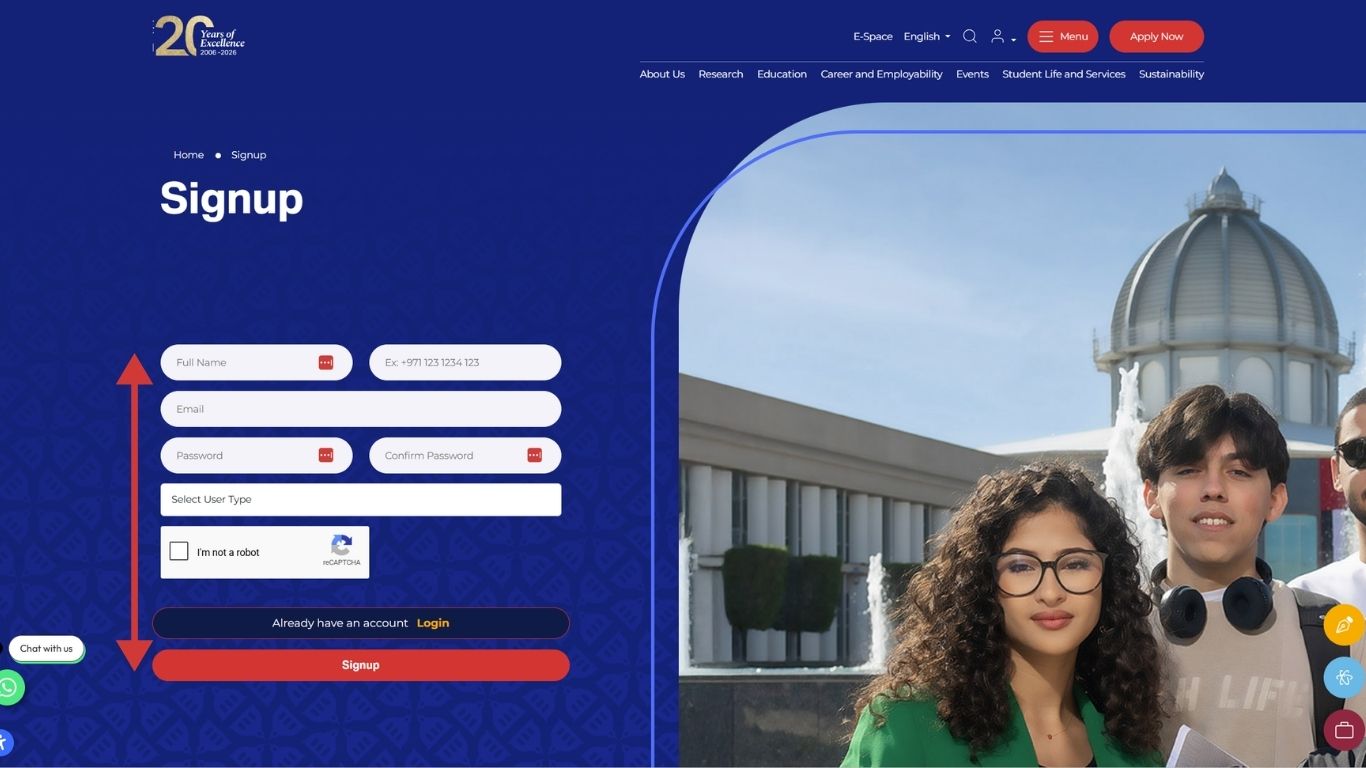
    Navigate to our Signup page. Enter your full name, a valid email address, and create a secure password. You will also be asked to select your User Type (e.g., Student, Staff, or Public) to help us tailor your experience. Complete the security "reCAPTCHA" and click the Signup button to proceed.

  2. Step 2: Check for Verification

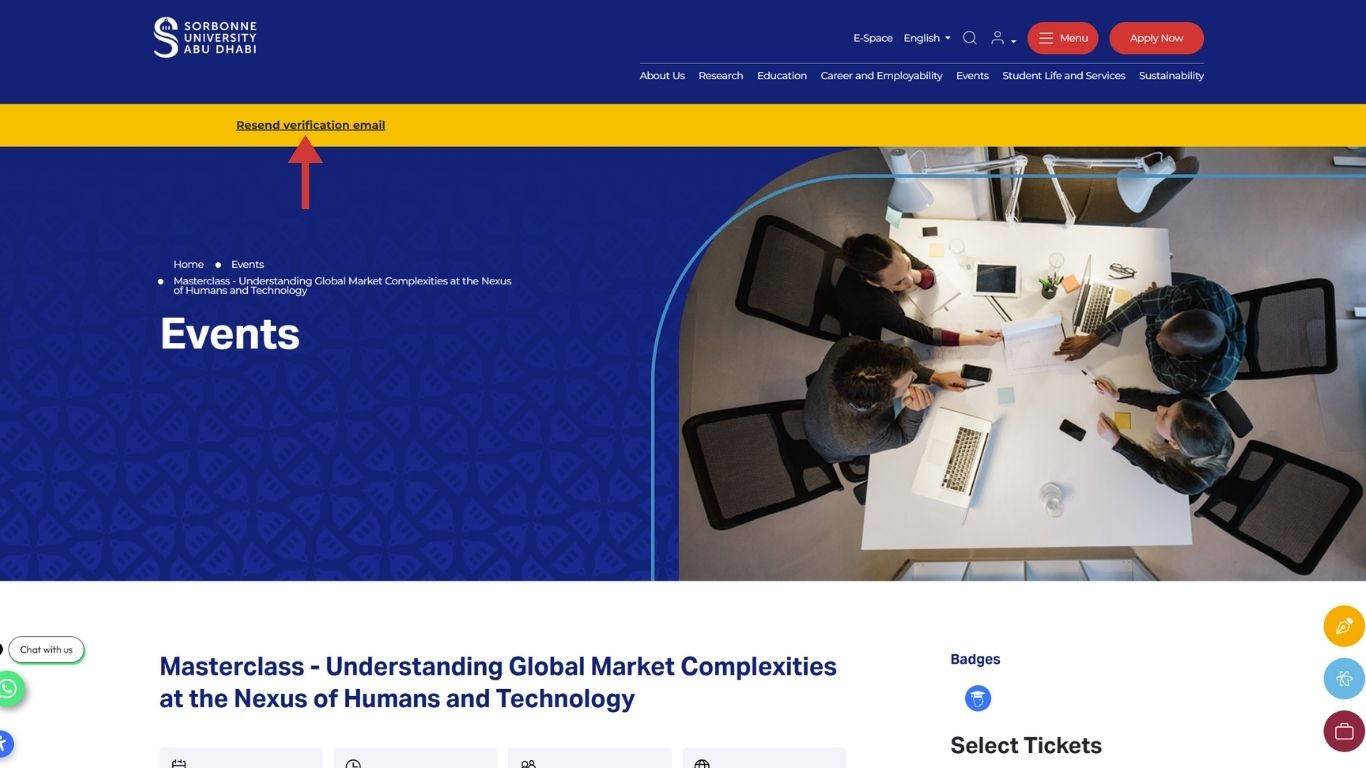
    After submitting your details, a notification bar will appear at the top of the screen indicating that a verification link has been sent to your email. If you do not receive the email within a few minutes, you can click the "Resend verification email" link to try again.

  3. Step 3: Verify Your Email Address

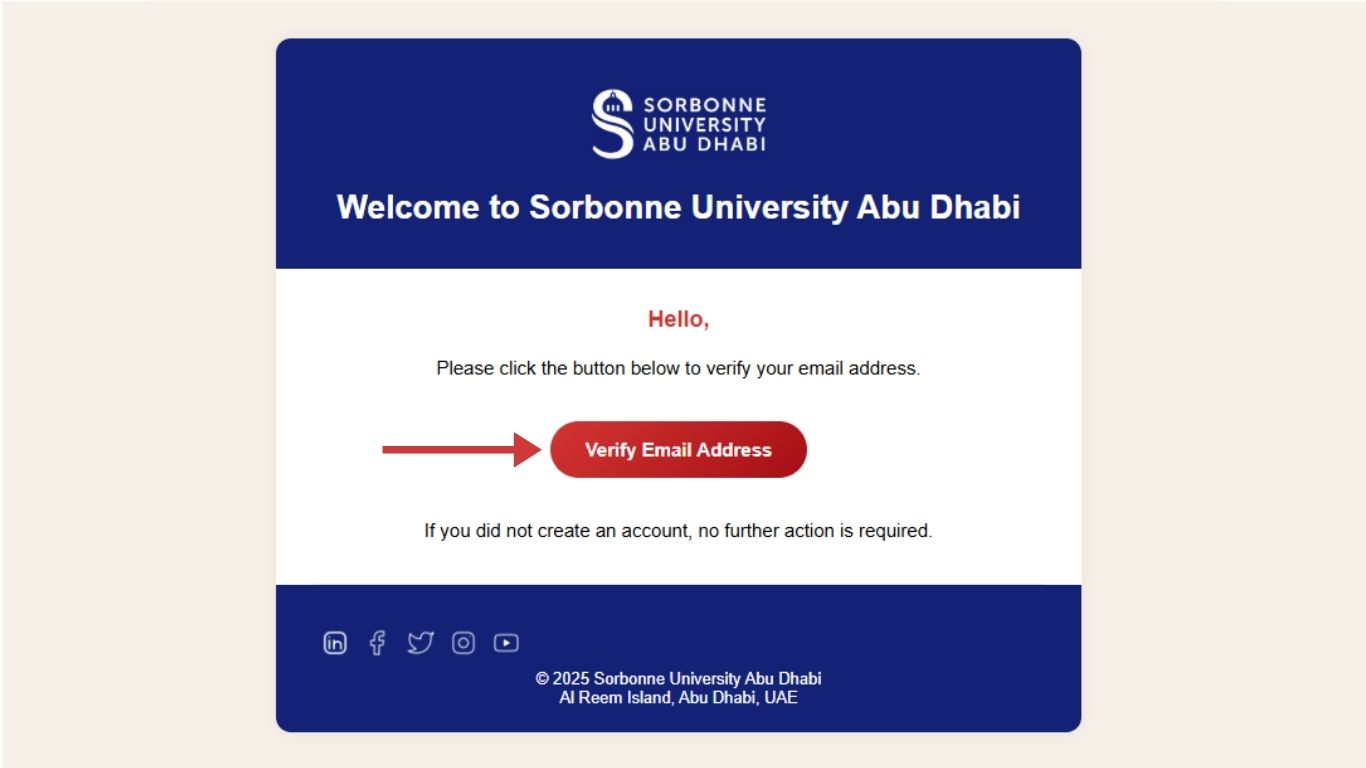
    Open your inbox and look for the "Email Verification" email. Click the prominent red Verify Email Address button. This is a critical step to ensure your account is active.

  4. Step 4: Access Your Dashboard

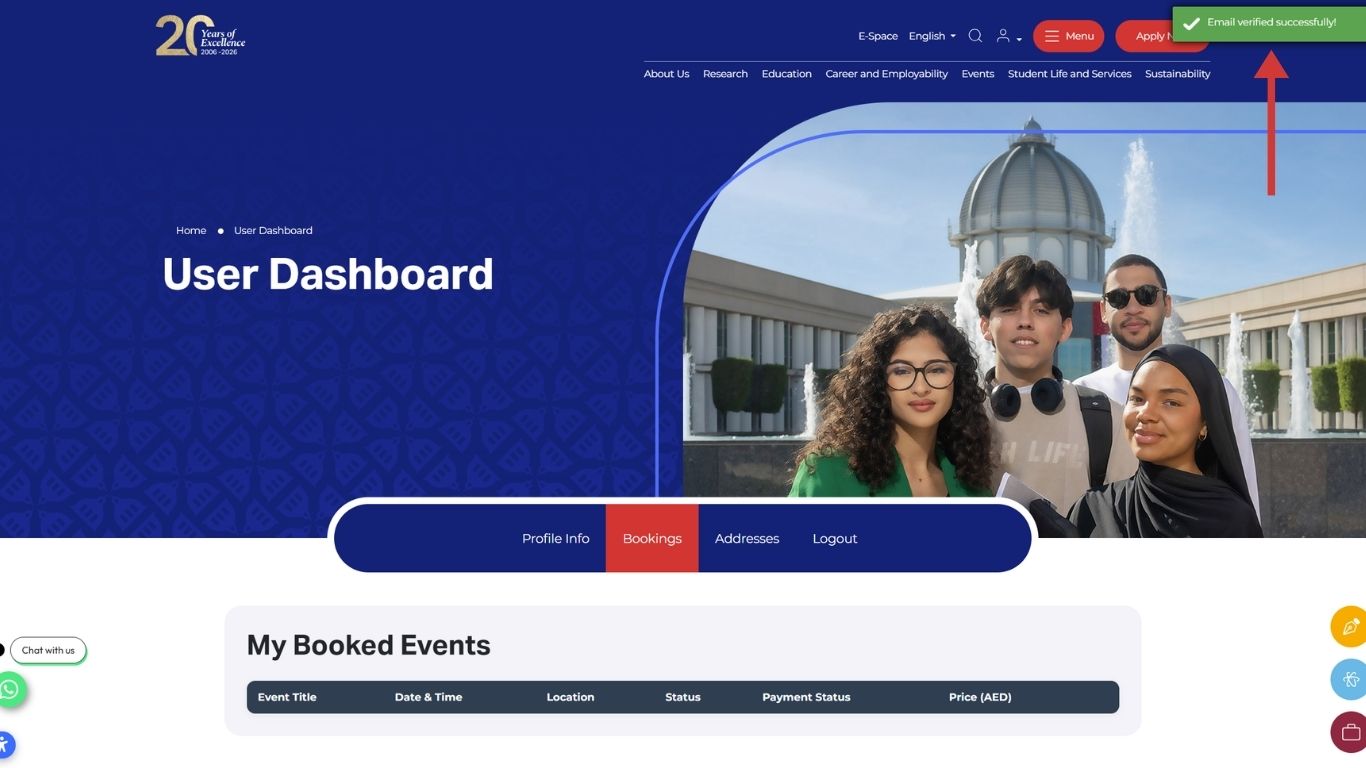
    Once verified, you will be redirected to your personal User Dashboard. A green confirmation message will appear in the top right corner: "Email verified successfully!" From here, you can manage your profile info, view your booked events, and update your addresses for future registrations.

FAQs

Our website operates on a separate system to ensure a seamless experience for both our internal community and public guests. Therefore, your standard E-Space credentials will not work here automatically. You must create a new account for the website; however, we highly recommend using your @sorbonne.ae email address during signup to stay connected with university updates.

First, please check your "Junk" or "Promotional" folders. If it is not there, return to the homepage and click the "Resend verification email" link. Ensure that the email address you entered is correct in the user dashboard.

If the button in the email is not clickable, try copying and pasting the link directly into your browser’s address bar.

First, ensure that you are using the exact email address you used during registration. If you have forgotten your password, click the "Login" page and then "Forgot Password" fill in your email address to receive a password reset link.

If you encounter any persistent errors while creating your account, please email our support team at events@sorbonne.ae. Providing a screenshot of the error message will help us assist you more efficiently.

S’abonner à

Notre Newsletter

Faculté des Lettres et Humanités

Sorbonne University Abu Dhabi Sorbonne University Abu Dhabi

Faculté des Sciences des données, Sciences et Ingénierie

Sorbonne University Abu Dhabi Sorbonne University Abu Dhabi

Faculté de Droit, Économie et Gestion

Sorbonne University Abu Dhabi Sorbonne University Abu Dhabi
E-Space
Sorbonne University Abu Dhabi

Fermer

S’inscrire Maintenant