How to Register for Events

Sorbonne University Abu Dhabi curates a dynamic and distinguished programme of cultural and scientific events, reflecting its commitment to intellectual inquiry, cultural dialogue, and meaningful community engagement.


This page brings together everything you need to take part with ease, including a clear step-by-step visual guide to the registration process, a comprehensive FAQ section addressing key queries, and an overview of upcoming events.


We invite you to explore our programme and join a vibrant community driven by curiosity, creativity, and the pursuit of academic excellence.


Before registering for an event, you must first create an account.

Step-by-Step Guide

Register for an Event


  1. Step 1: Discover Our Event

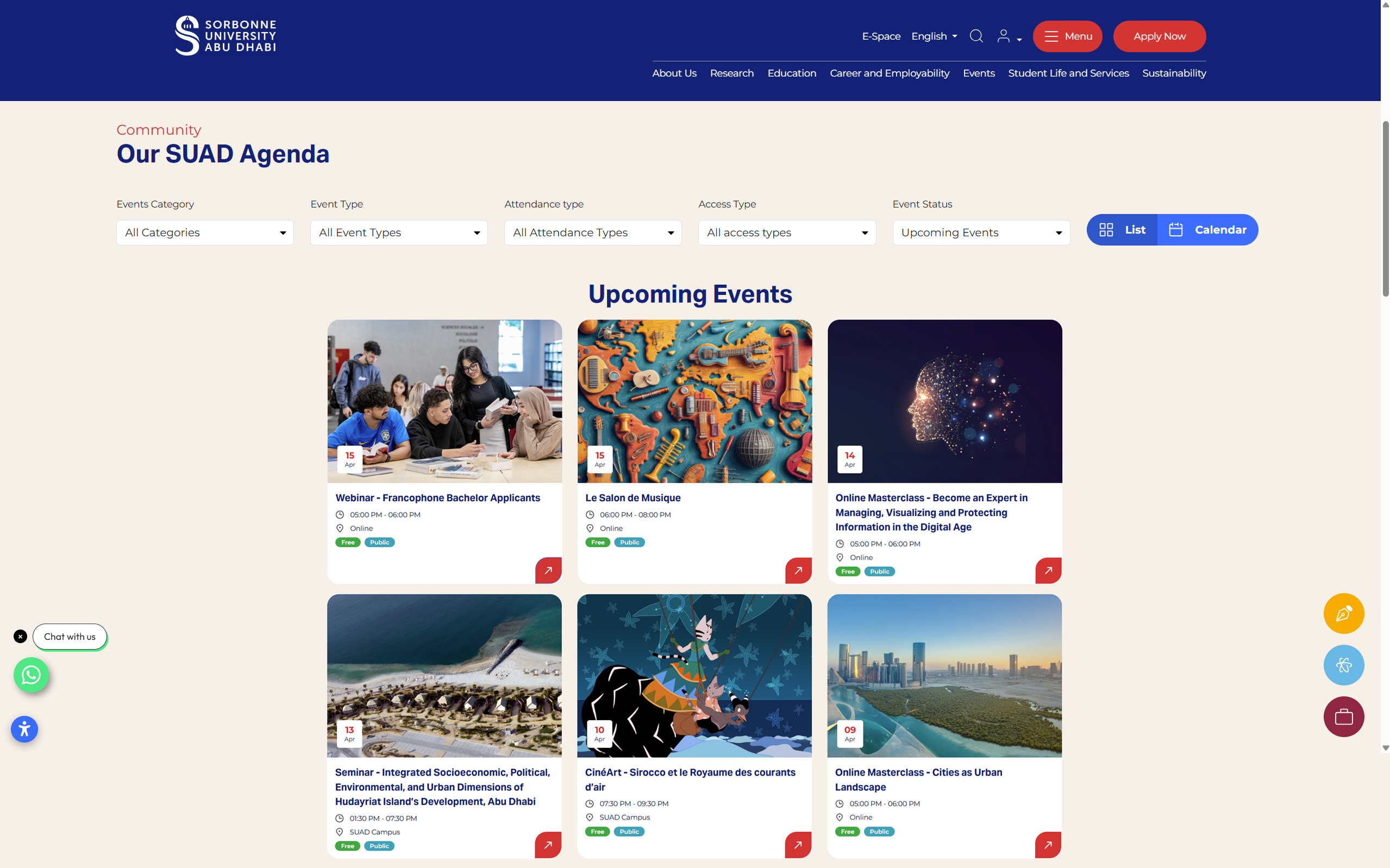
    Navigate to the SUAD Events to view our upcoming events. You can use the intuitive filters at the top to filter by Category (Cultural, Scientific, etc.), Attendance Type (Online or On-Campus), or specific Event Status. Once you find an event that interests you, click on the event card to view the full details.

  2. Step 2: Select Your Tickets

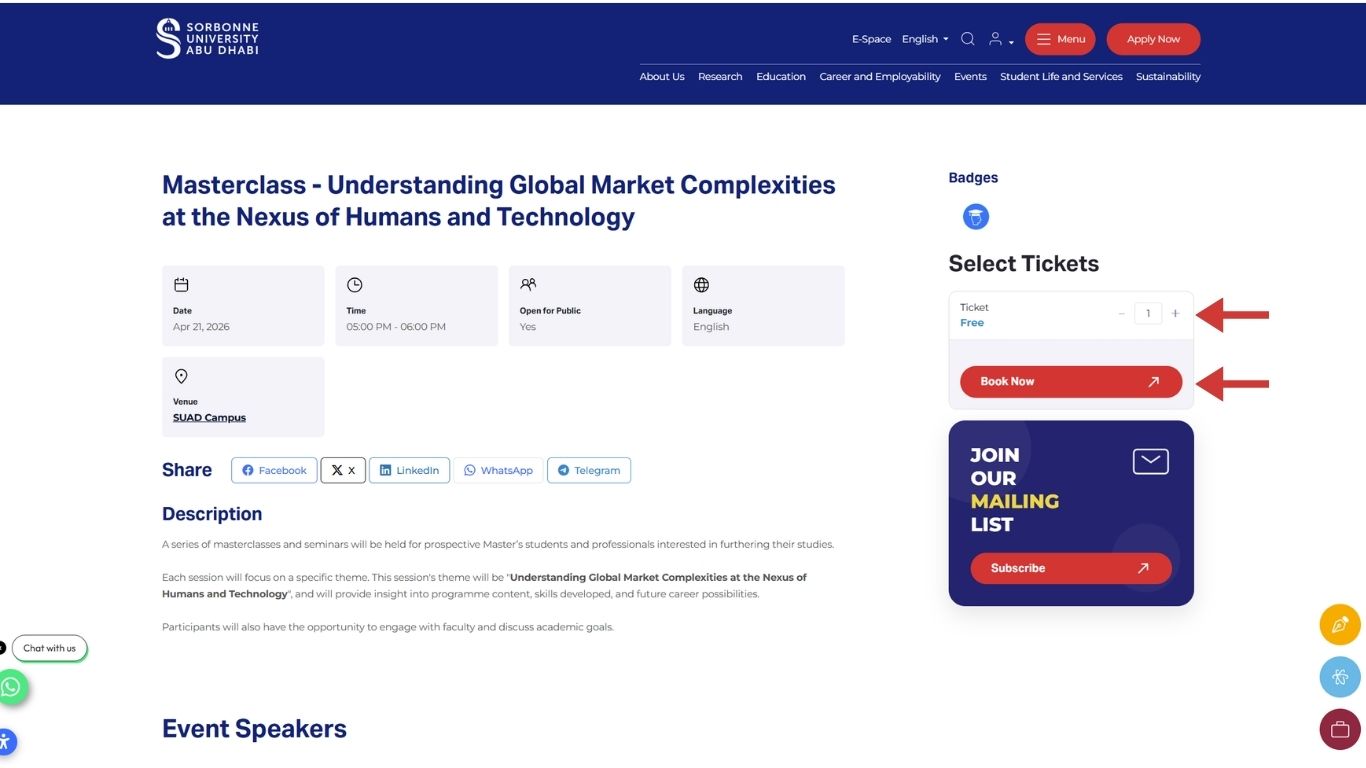
    On the individual event page, review the description, date, and speaker information. On the right-hand side, locate the Select Tickets section. Choose the number of tickets you require and click the Book Now button to proceed.

  3. Step 3: Provide Billing & Contact Details

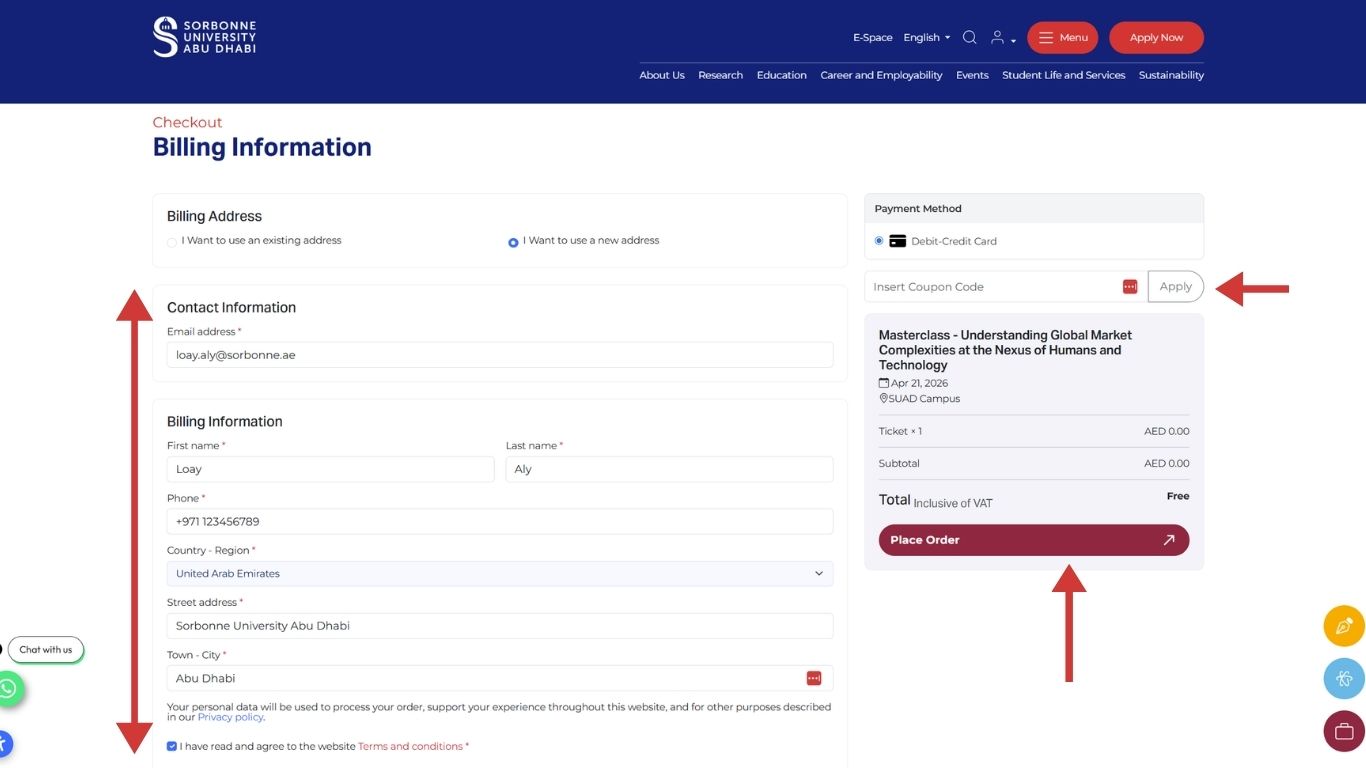
    To finalize your reservation, fill in the required fields under Contact Information and Billing Information "it will be saved for upcoming bookings". This ensures you receive your personalized entry pass and any relevant event updates. If you have a coupon code, you can apply it here before clicking Place Order.

  4. Step 4: Confirmation & User Dashboard

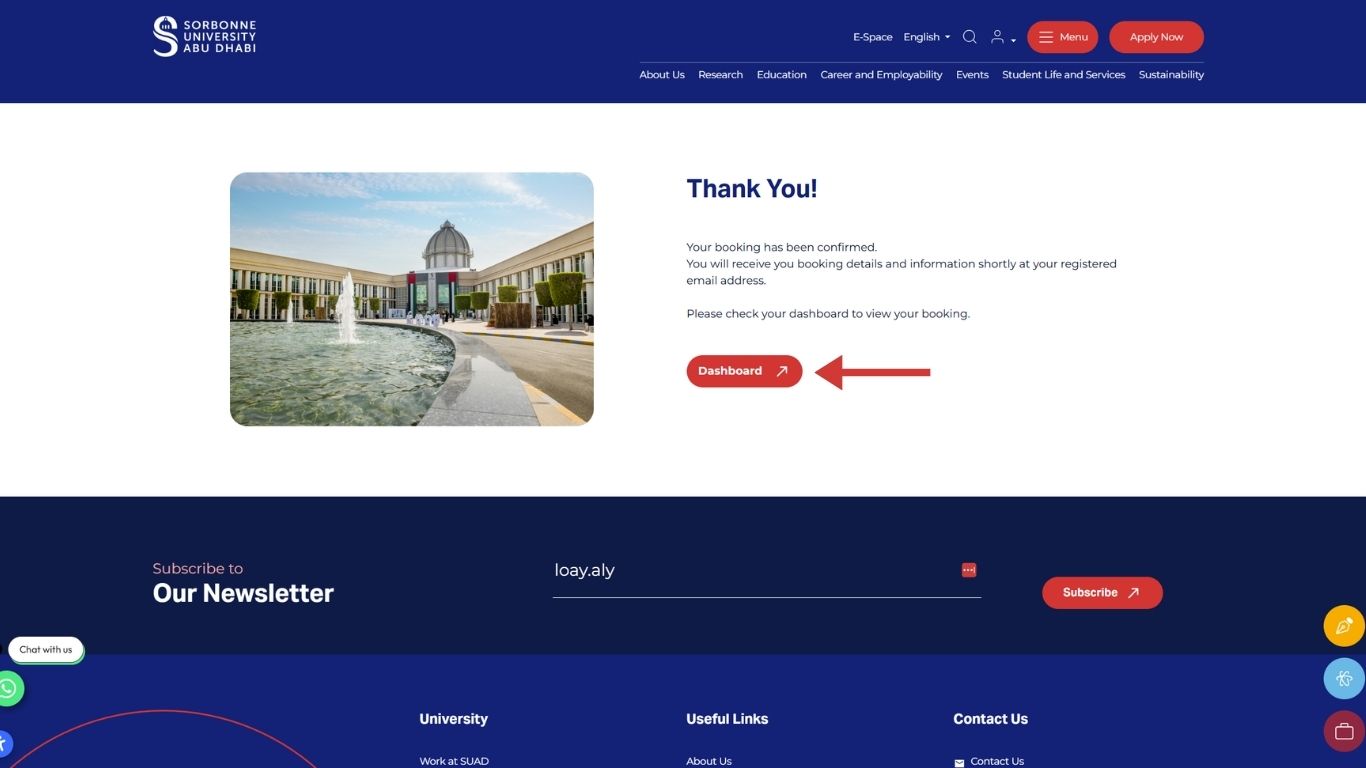
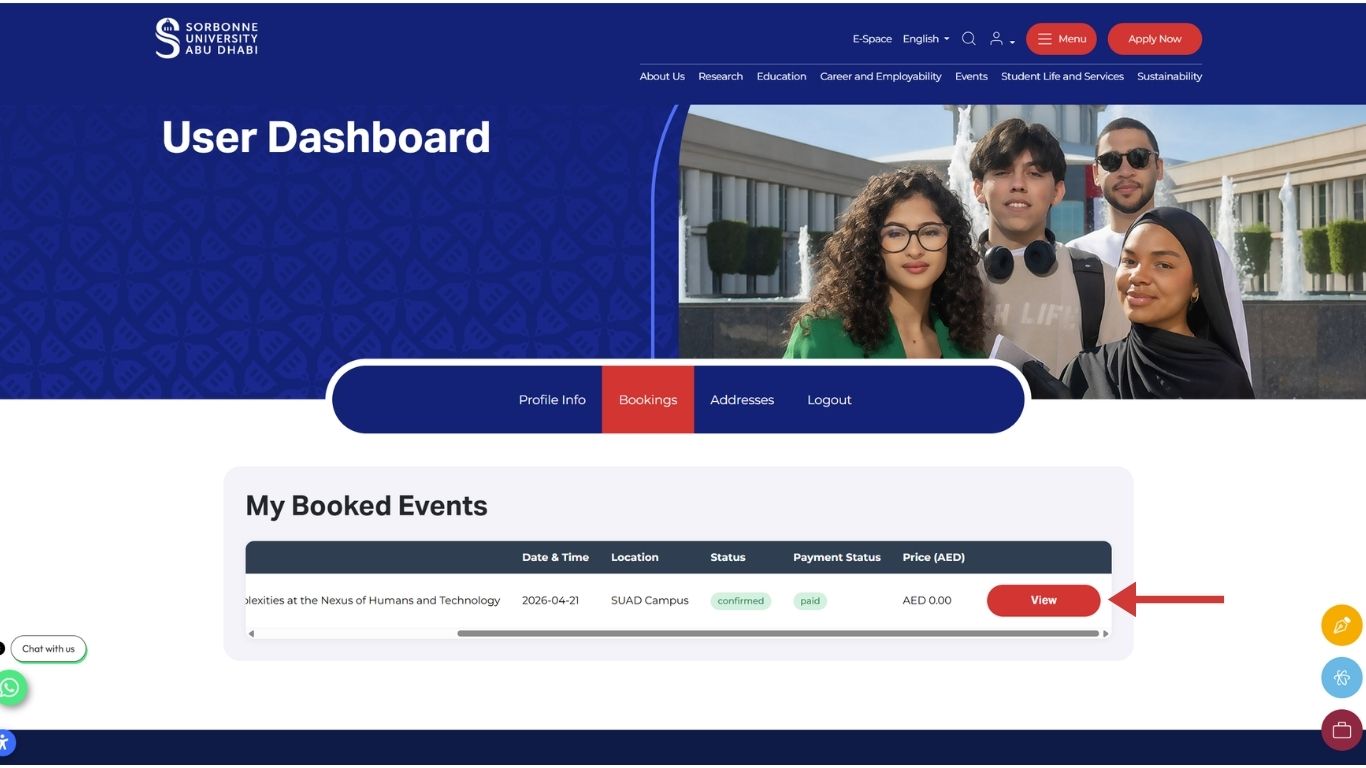
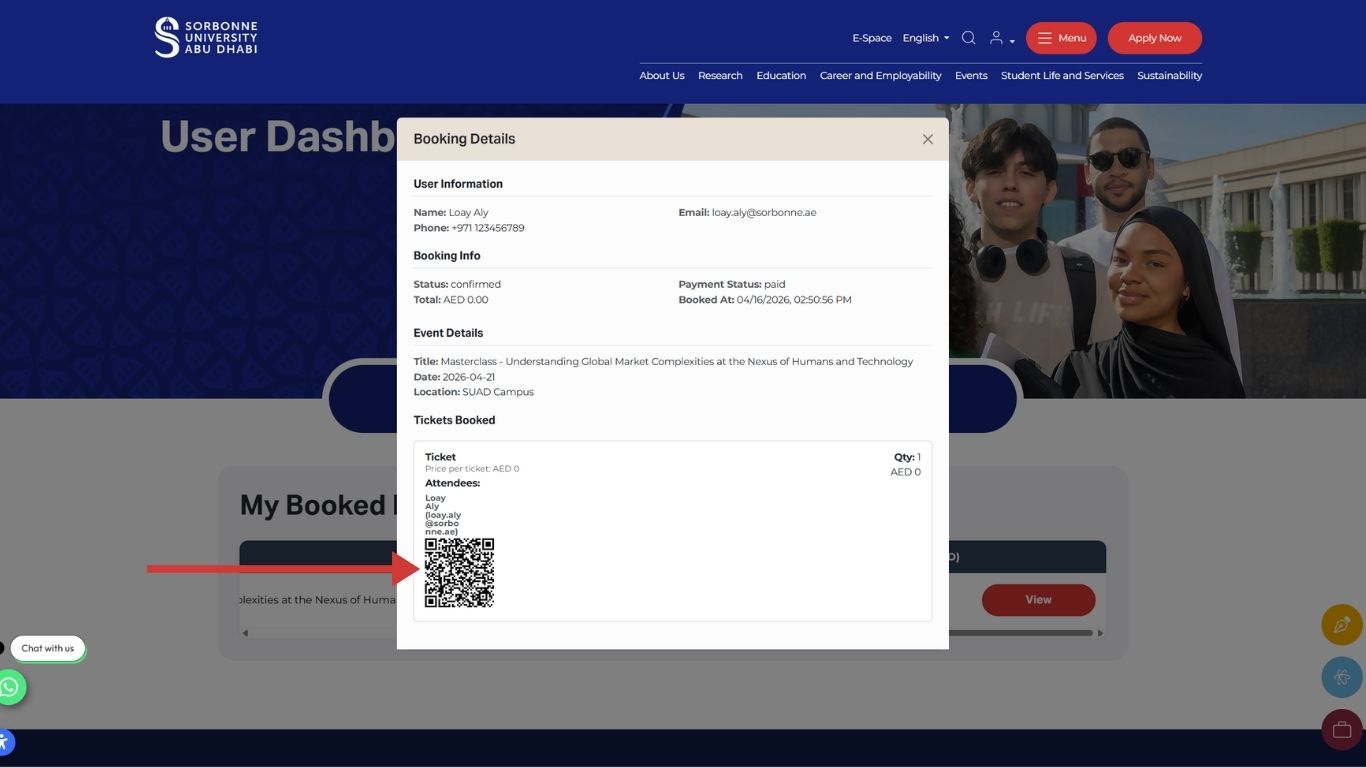
    Success! Once your booking is confirmed, you will see a "Thank You" screen. A confirmation email with all event details will be sent to your registered email address immediately. You can click the Dashboard button at any time to view your current bookings, manage your schedule, or download your tickets.


Note: An active user profile is required to register for an event; if you do not have one yet, we invite you to view our guide to creating an account first. 

FAQs

Most of our events are free for the public; some events may have a fee, which will be clearly listed in the "Select Tickets" section. Regardless of the fee status, advance registration is required for all events to ensure your seat is reserved.

Please check your "Junk" or "Promotions" folder. If it is still missing, you can view and download your tickets directly from your User Dashboard.


User DashboardTicket


If you experience any difficulties with the portal or your user profile, please contact our support team at events@sorbonne.ae. We recommend including a screenshot of the issue to help us resolve it quickly.

اشترك في

نشرتنا الإخبارية

كلية الآداب والعلوم الإنسانية

جامعة السوربون أبوظبي جامعة السوربون أبوظبي

كلية البيانات والعلوم والهندسة

جامعة السوربون أبوظبي جامعة السوربون أبوظبي

كلية القانون والاقتصاد والأعمال

جامعة السوربون أبوظبي جامعة السوربون أبوظبي